How to resend an invitation to a Trusted Collaborator

Modified on: Thu, 19 Feb, 2026 at 7:08 PM


If your collaborator hasn't received the email invitation, follow these steps to send the invitation:


From the Contact List

Step 1: Right-Click the contact from your Contact List.

Step 2: Select Send Invitation 


From the Contact Details Page

Step 1: Double-Click on the contact name from your Contact List

Step 2: At the top, click the button 'Send Invitation'
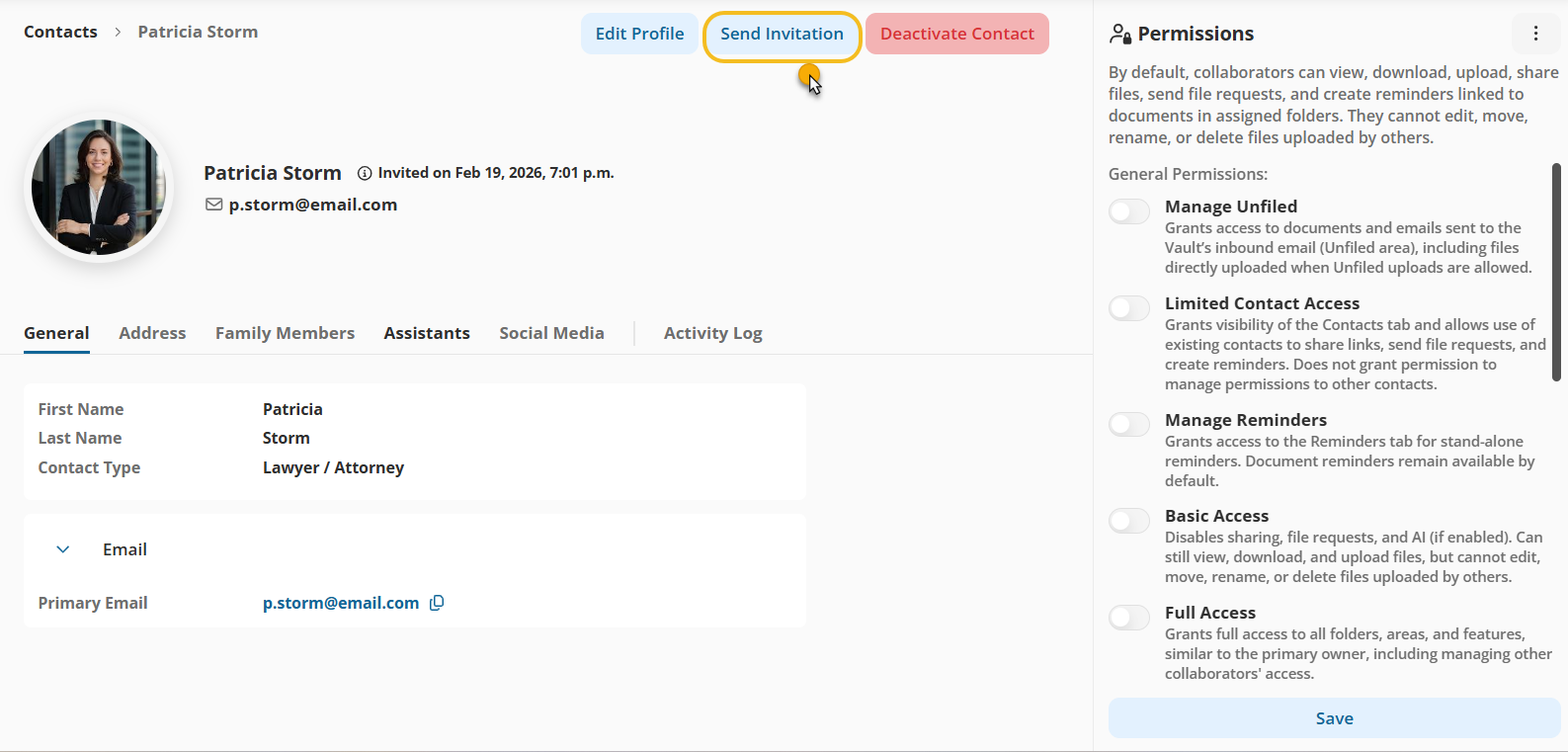
Send Invitation from From the Contact Details Page


After adding or editing the Permission

Step 1: Click Save

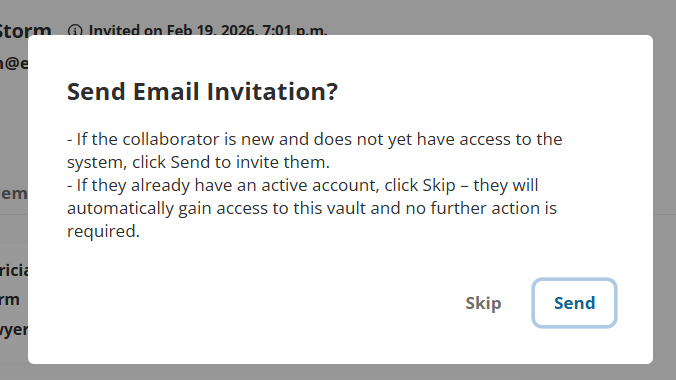
Step 2: The system will ask you if you want to send the Invitation or Skip

After adding or editing the Permission


Did you find it helpful? Yes No

Send feedback
Sorry we couldn't be helpful. Help us improve this article with your feedback.